# Embed Video Blocks
> Learn how to share and embed individual video blocks from VIDEOJOBS.
Source: https://docs.videojobs.io/embed-video-blocks
> For the complete documentation index, see [llms.txt](https://docs.videojobs.io/llms.txt).
# Embed Video Blocks
Each Video Block can be shared and embedded independently wherever it is posted. You can easily integrate it into your website or share it on social media.

## How to Integrate a Video Block
Go to the desired Video Block you want to share.
Click the **Share** button located in the top right corner.
An interface will appear, providing you with sharing options, including an embed code.
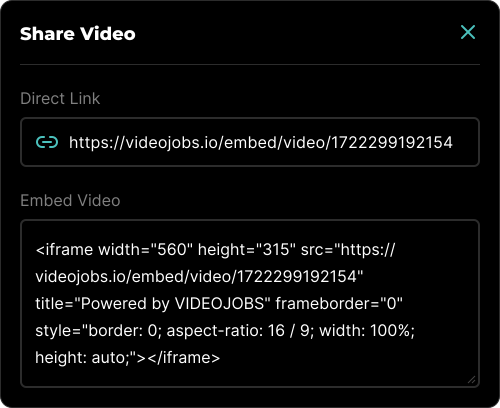
### Sharing Options
- **Direct Link:** This option will give you a direct link to the video.
- **Embed Video:** This provides the code necessary to embed the chosen video on any website.
Learn more about how you can Embed Image Blocks.
Learn more about Account, with all its features.