

Embed Open Positions
You can easily share all your open positions on any website or social media platform. To do this, navigate to your Home Page or Company Profile, and click on the three-dot icon located in the top right corner of the Jobs block.
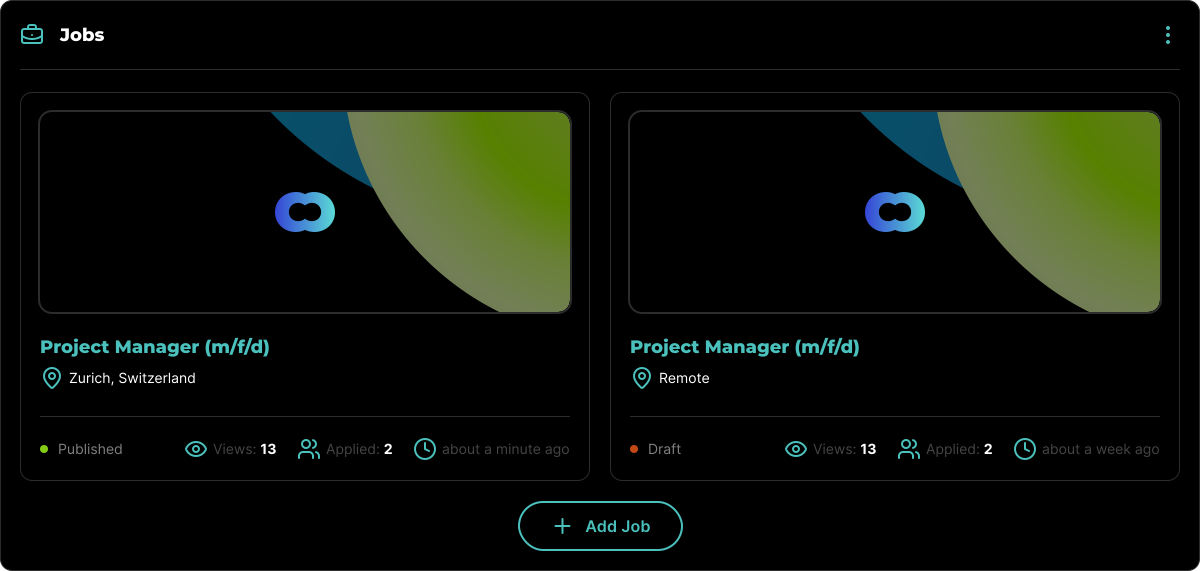
How to Integrate Open Positions
1
Navigate to your Jobs
Go to the Home Page or Company Profile.
2
Click the Share button
Click the Share button located in the top right corner of the Jobs block.
3
Choose your sharing option
You will see an interface that provides you with sharing options, including an embed code.
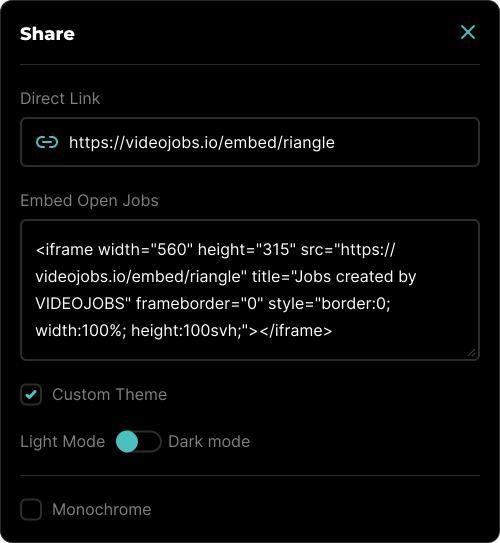
Sharing Options
- Direct Link: This option removes the VIDEOJOBS header and footer, allowing the shared only the open positions.
- Embed Open Jobs: This provides the code necessary to embed all open positions on any website.
- Custom Theme: You can enforce a specific theme, either light or dark, to match the design of your website or platform.
- Monochrome: This option removes all VIDEOJOBS branding colors, presenting the open positions in a more neutral manner.