

Embed Video Blocks
Each Video Block can be shared and embedded independently wherever it is posted. You can easily integrate it into your website or share it on social media.

How to Integrate a Video Block
1
Navigate to the Video Block
Go to the desired Video Block you want to share.
2
Click the Share button
Click the Share button located in the top right corner.
3
Choose your sharing option
An interface will appear, providing you with sharing options, including an embed code.
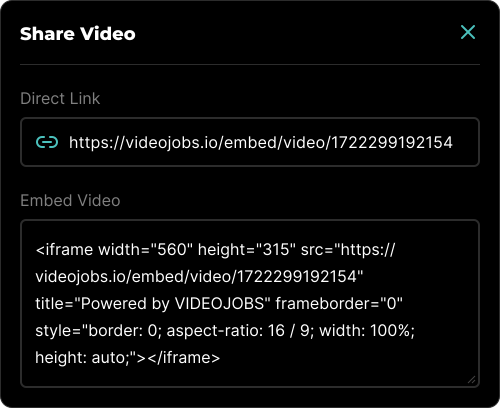
Sharing Options
- Direct Link: This option will give you a direct link to the video.
- Embed Video: This provides the code necessary to embed the chosen video on any website.